
Pamlico VINELink Custody Coverage
NC SAVAN is the statewide VINE service for North Carolina. The state describes an electronic link between county jails and Adult Correction. That link powers a Pamlico County search. It works whenever the person and the event fall inside the participating data scope. Pamlico County hosts no separate technical deployment page. The county does not run its own copy of the database.
For a single person, VINELink can return custody status. It names the holding facility. It also registers free alerts for release, transfer, escape, capture, or another covered custody change. The service runs around the clock. It works in English and Spanish, with wider language help by phone. The NC SAVAN number is (877) 627-2826.
County jail custody and state prison custody are different stages. A fresh booking may sit at the Pamlico County Detention Center. State prison comes later. A person sentenced to prison moves into Department of Adult Correction data. VINELink connects custody systems, nothing more.
Check a Pamlico VINELink Record
Start with the official VINELink North Carolina person search. A full name is just the entry point, so compare age or other identifying data before opening a match.
- Open the person search and confirm North Carolina is selected.
- Enter the name or other details requested by the live interface.
- Review all potential matches.
- Compare identifiers, custody status, and facility.
- Open the correct record and choose registration if alerts are needed.
The official North Carolina search screen is captured below.
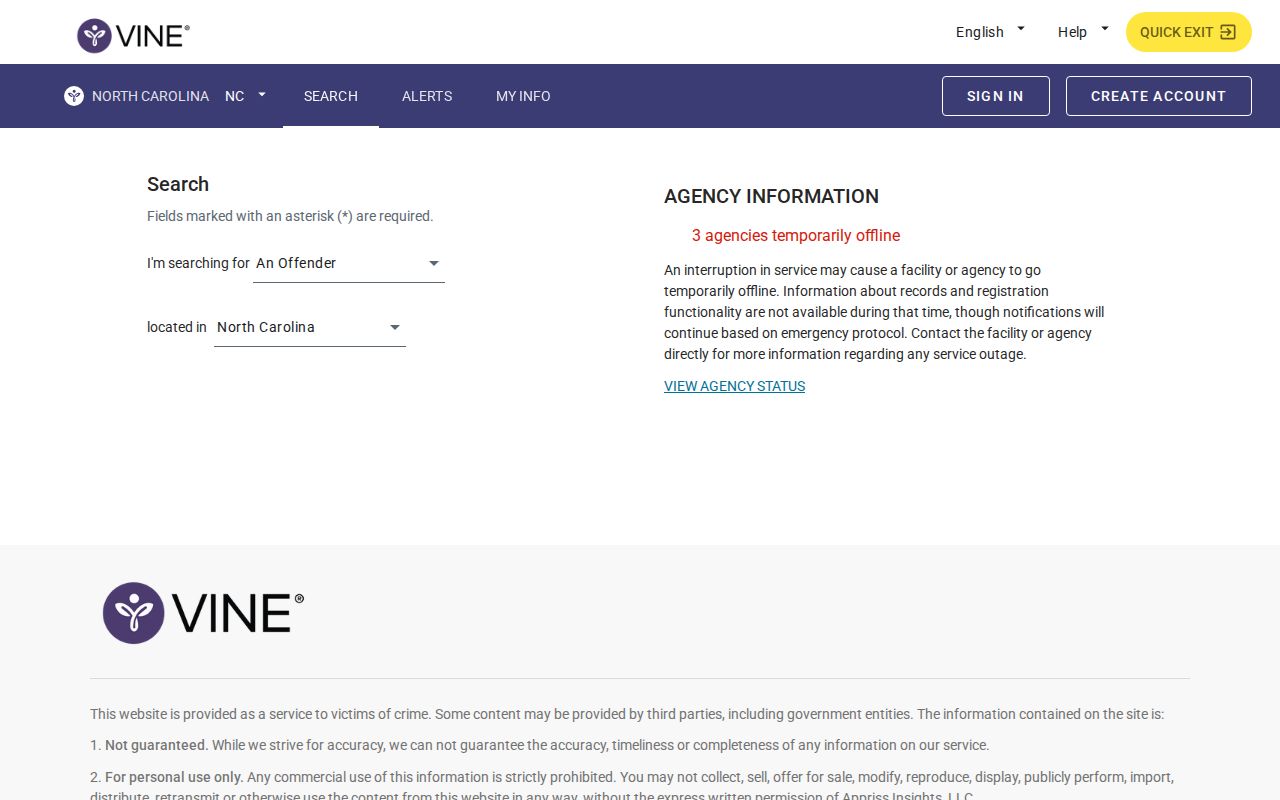
The screen you land on confirms you are on the right state interface. Use the live fields there, never a saved screenshot, to report current custody.
Pamlico VINELink Result Fields
A result answers a custody question, not every question about a Pamlico County arrest. Displays vary by facility, so read each field narrowly and verify anything time-sensitive with the holding agency.
| Result item | Meaning and limit |
|---|---|
| Person name | A match that still needs identifier comparison. |
| Custody status | The participating source’s reported status, which may lag. |
| Facility | The reported jail or correctional location. |
| Record ID | A stronger match key when supplied. |
| Release or transfer | A custody event, not a court outcome. |
| Notification option | A separate path for supported alerts. |
VINELink is normally not a booking-photo repository or a Pamlico booking sheet. The Pamlico County arrest record hub shows how Sheriff, court, and correctional sources split the work.
Register Pamlico Custody Alerts
Searching alone creates no alert. Registration is its own step tied to the person you select. Pick a phone or email that can receive notices, then set a four-digit PIN for future changes.
- Open the correct result after checking identifiers.
- Select notification registration and the supported event.
- Enter a phone number or email address.
- Create and save the four-digit PIN.
- Complete the shown confirmation step.
Ordinary phone notices generally run from 8 a.m. to 8 p.m. Critical release, escape, or capture notices can arrive at any hour. Per the NC SAVAN FAQ, an unanswered regular call repeats every two hours for 24 hours, while critical calls repeat every 30 minutes over the same span. Email notices go straight to the registered address.
Note: A transfer to another participating facility may require a new alert registration for the receiving facility's record.
Pamlico VINELink Search Limits
NC SAVAN does not watch every precinct or temporary hold. Juvenile facilities, mental-health facilities, and people who bond out at the magistrate stage without entering jail are excluded or limited. A police-only hold may never become a VINELink record. An empty result does not mean no arrest occurred.
Data can lag behind a fresh intake. Confirm through the Daily Arrest Report path, or call the Pamlico County Sheriff's Office at (252) 745-3101. After a release, VINELink may drop the custody entry. The booking record and the case can remain open.
Federal Custody Uses Separate Tools
Federal custody works differently. NC SAVAN will not find someone held by the Bureau of Prisons. For that, use the BOP Inmate Locator instead. Immigration holds run through a separate system too, the DHS VINE service. Neither of these tools is a Pamlico County jail roster. An immigration detainer is not a state criminal disposition. Pick the locator that matches where the person is actually held. Then confirm details with the agency named in the result. A transfer alert often means one thing. It is time to register again or switch tools.
Custody Is Not Disposition
VINELink can show that someone is held, released, or moved. It cannot show how a charge resolved. Bond is a release condition, not a judgment. Only the court's recorded outcome settles a case.
For that record, search the NC eCourts Portal. Search by party name or case number. Then use the Pamlico County court page and the court contact directory to reach the Clerk. Someone can walk out of custody while a case stays open. A custody record can also change well before the court record does.
No Pamlico VINELink Match
No match on VINELink can mean several things. Someone may never have reached the Pamlico County Detention Center. Police might still be holding them. A magistrate could have freed them before booking. Or the record is simply too new to show. Juvenile and mental-health placements stay out, as do results filed under a different spelling, another county's jail, or federal custody. A blank screen proves nothing by itself.
Start with the name. Recheck the spelling and match the middle name, age, or any other identifier against what you know, sticking to plausible variants only, since loose guesses can pair you with a stranger's arrest record. Then call the Pamlico County Sheriff's Office. Ask whether the person is in county custody right now. Older bookings take a written request. VINELink tracks status and sends alerts, not an arrest archive. Suspect federal or immigration custody means turning to that system's own locator.
Never register for a look-alike record just because it is the lone result, or the alerts will follow the wrong person. Confirming identity is part of the search itself, not an afterthought.
Manage Pamlico VINE Notifications
A reliable alert plan goes beyond registration. Write the four-digit PIN down somewhere safe. Keep the chosen phone or email active, and note which person and facility each registration covers. If the system calls twice, hear the whole message out and follow the prompts. Blocked numbers and spam folders swallow alerts.
NC SAVAN accepts several phone numbers and email addresses at once, which keeps one dead device from breaking the plan. Registration can stay confidential and anonymous. Never share the PIN. It controls every later change. A facility transfer brings its own question, since the old registration may not carry over and the receiving jail may want a fresh one. Check after each move.
Timing matters too, because repeated calls are a delivery feature rather than separate custody events. A critical call can arrive outside the normal window. Log what the message describes, then confirm with the facility when safety or travel plans depend on current custody.
Pamlico App Versus VINELink
The Pamlico County Sheriff Android app and VINELink answer different questions. The Sheriff app listing covers crime reports, tips, public-safety news, and general information. It shows no booking roster or current-inmate list. No photo search or automatic alerts appear either. A news item can cover one case and skip other bookings.
VINELink does the opposite. It tracks one person's custody status. The alerts you register ride on that record. It is not a tip line, an emergency service, or a full arrest feed. Use the Sheriff channel to reach the county custodian, VINELink to watch supported custody changes, and 911 for immediate danger. Silence from one tool proves nothing about the other.
Note: A public-safety news channel cannot replace a custody check, and a custody check cannot replace the Sheriff's underlying booking record.
Public Record Search
Sponsored Results